
01 · Settle in
Getting started
Open this activity from the app. If it offers a choice of mode, read the differences below before starting.
- Open Wonder Coin Cascade from Wonder Worlds. Choose your child profile before playing with Sparks.
- Choose a subject from the left panel. On smaller screens, use the subject button to open the selection panel.
- Drag the gold aiming slider, or drag across the playing board, to position the downward arrow. Press Drop coin when you want to release one coin. On a keyboard, the arrow keys aim and Space drops a coin when no other control is focused.
- Stop freezes play and changes to Resume. Collect tokens returns unused playing tokens to your Sparks balance after you press Stop.
- Music and sound effects have separate controls. Worlds saves your board before returning to the game list. Use Journal to revisit discoveries already collected.
02 · Make a little magic
How to play
Choose Space, Nature, Science, Geography, History, Human Body, Arts & Music or General Knowledge.
Buy 10 tokens for 10 Sparks or 20 tokens for 20 Sparks. One token equals one Spark. Free practice is also available without spending Sparks.
Aim at the open space behind the coins on the upper shelf. Time your drop as the shelf moves back.
A coin drops vertically, settles on the shelf or another coin, and moves through contact with the shelf and neighbouring coins. It can fall from the upper shelf to the lower board.
Push coins beyond the front edge into the collection tray. Ordinary gold coins add more available drops. A coloured knowledge coin unlocks a discovery only when it reaches the tray.
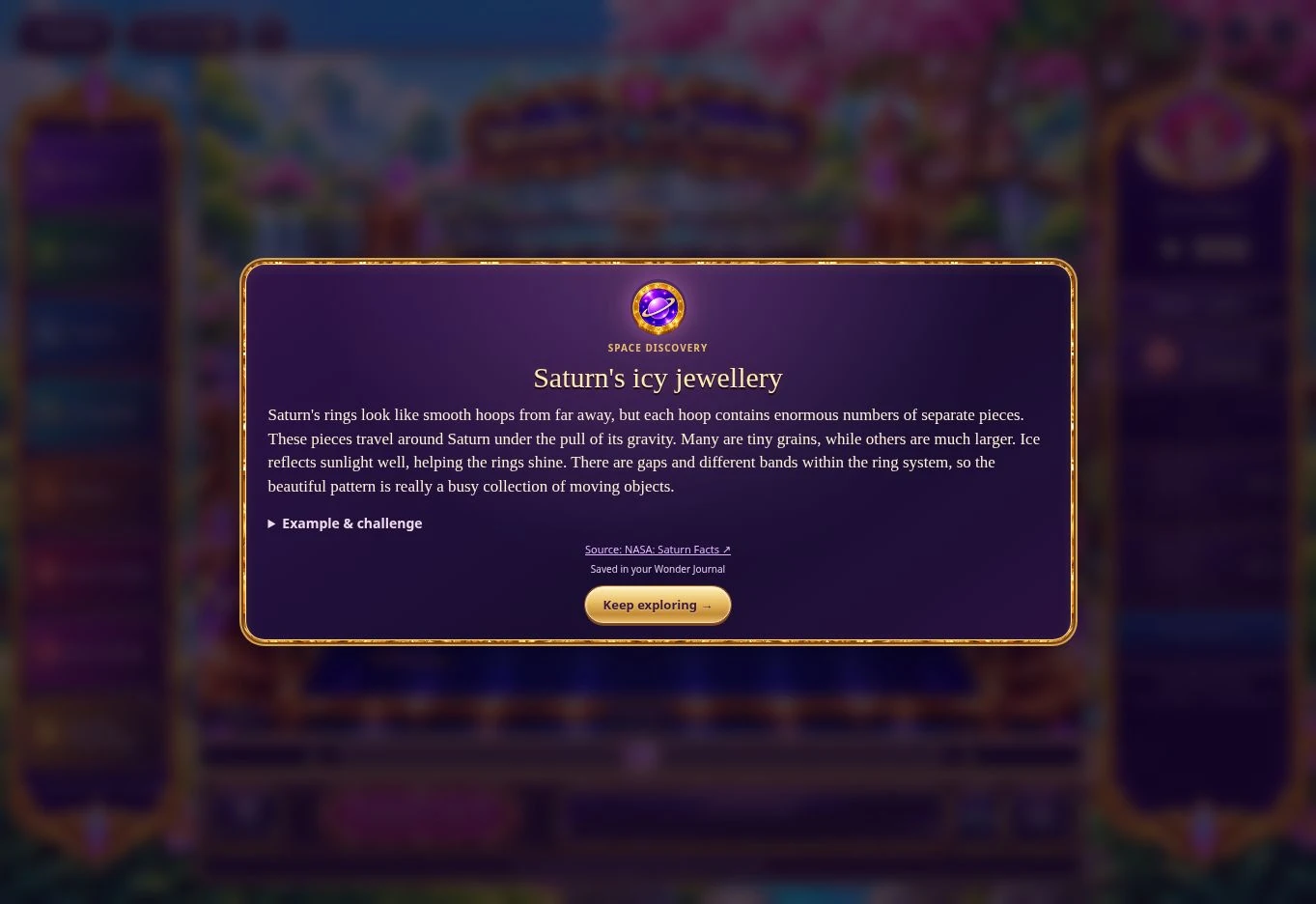
Read the discovery, then open Example & challenge for a practical example and a question. Expand the answer when ready, or return to the explanation.
To leave with unused tokens, press Stop and then Collect tokens. Wait for the server to confirm the Sparks balance. Your board remains saved for your next visit.
03 · Know your world
Objects & controls
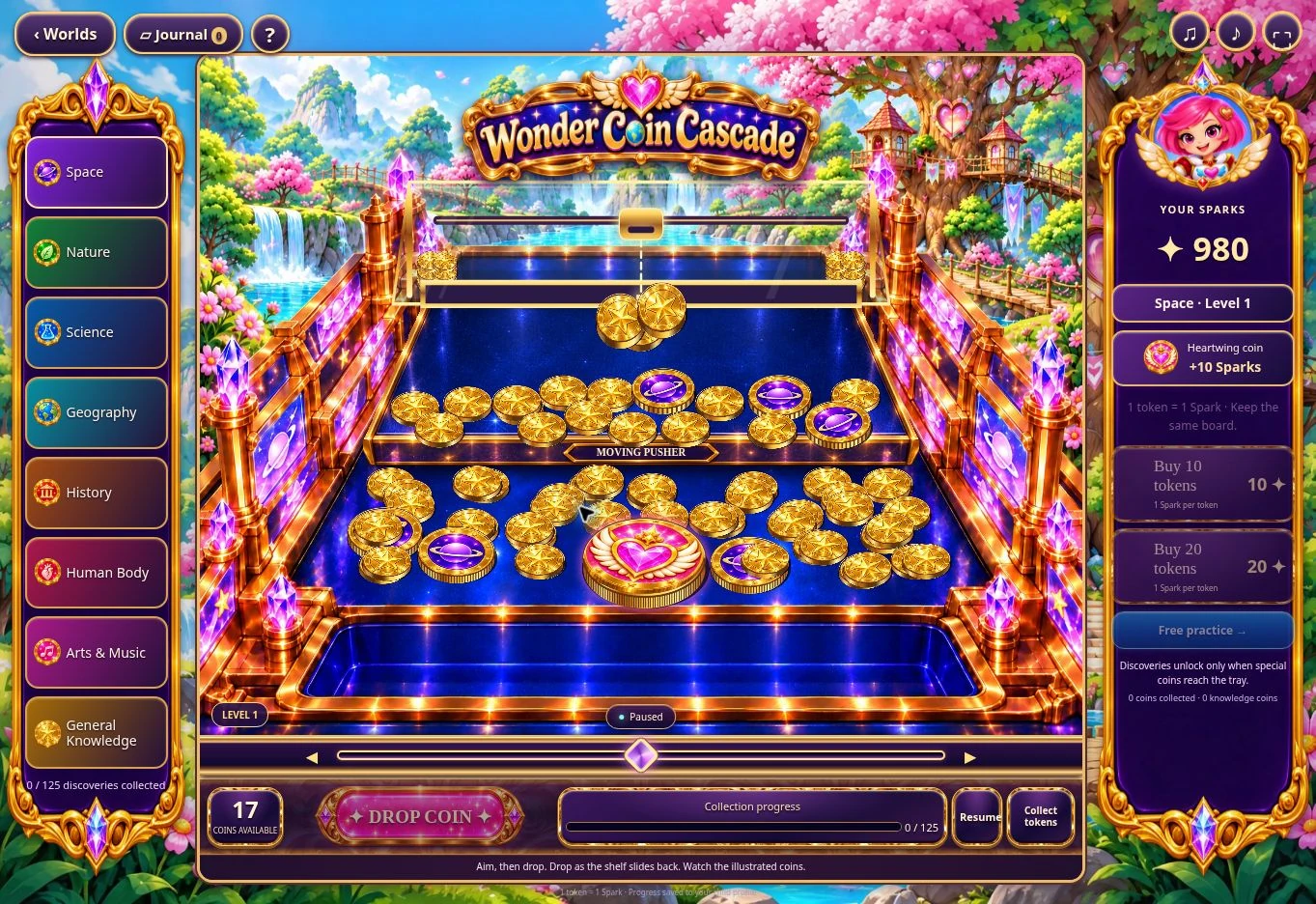
Use this field guide alongside the picture and the labels inside the game.
- Ordinary gold coin
- All ordinary coins have the same size. Each gold coin collected adds one available drop. Unused available tokens can be collected back into Sparks after stopping.
- Knowledge coin
- An illustrated subject coin opens a detailed discovery when it reaches the front tray. Buying tokens, finishing a session or collecting unused tokens does not award a guaranteed discovery.
- Heartwing coin
- The large heart coin awards 50 Sparks and a three-discovery themed adventure when collected in paid play. A replacement Heartwing coin enters the machine. The server records the reward once.
- Moving shelf
- The upper platform carries coins backwards and forwards. A fixed rear barrier and contact between coins push the pile towards the front.
- Downward arrow
- Shows where the next coin will drop. Move it with the aiming slider or by dragging across the board.
- Wonder Journal
- Keeps discoveries you have earned for future reading. Previously collected knowledge can be revisited without spending Sparks.
- Collection progress
- Shows how many of the subject's 125 discoveries you have collected. It is not a promise of a discovery after a number of drops.
04 · Your goal
Modes & passing levels
- Paid play uses tokens purchased with the selected child's Sparks. There is no separate fee to open the game.
- Free practice does not spend or award account Sparks and does not add discoveries to the saved Journal. Practice cannot be converted into paid tokens.
- Each subject has its own saved board. Changing subjects parks the previous board and retains its unused tokens.
- The game uses one saved paid state per child, shared between devices. Opening it on another device takes over the active connection. Stop before changing devices.
- Collect every coloured discovery coin to advance to the next level. Unused drops and existing gold coins carry forward. New discovery coins enter through the rear drop area. Pink Heartwing coins award 50 Sparks in paid play and are not required to complete a level.
05 · A helping hand
Helpful tips
- A drop does not have to push a whole line immediately. Coins can land above other coins before sliding or being pushed towards the edge.
- Watch the upper shelf's movement and aim for useful gaps. Returned gold coins can extend your play, but a particular purchase does not guarantee a knowledge coin fall.
- There are 1,000 detailed discoveries, with 125 in each of eight subjects. Discoveries are read on screen; there is no Gina narration in this release.
- If Collect tokens shows a prompt, press Stop first and then collect. Press Resume instead if you want to keep playing.
- An interrupted connection pauses confirmation. Retry the saved request, which retains the same transaction reference. Do not assume a payment or refund failed merely because the response was delayed.
- Wait for the confirmed balance before leaving. The server holds the board and balance, and prevents repeated refunds or duplicate Heartwing rewards.
- Parents can see the selected child's Sparks transactions through the Family account. Administrators can disable the game or pause token purchases without altering another game's settings.
06 · Before you leave
Progress & Sparks
The game’s score, stars, hearts and magic are different from your family’s spendable Sparks. The app confirms any Sparks awarded under the current account rules, waiting periods and daily limits.
Use the game’s menu to leave and allow any save or reward confirmation to finish. If the app reports a connection or saving problem, keep that message in mind before closing. Guest saving can differ from signed-in profile saving.
These instructions do not unlock paid content or spend Sparks. The app shows the current preview and access options.