
01 · Settle in
Getting started
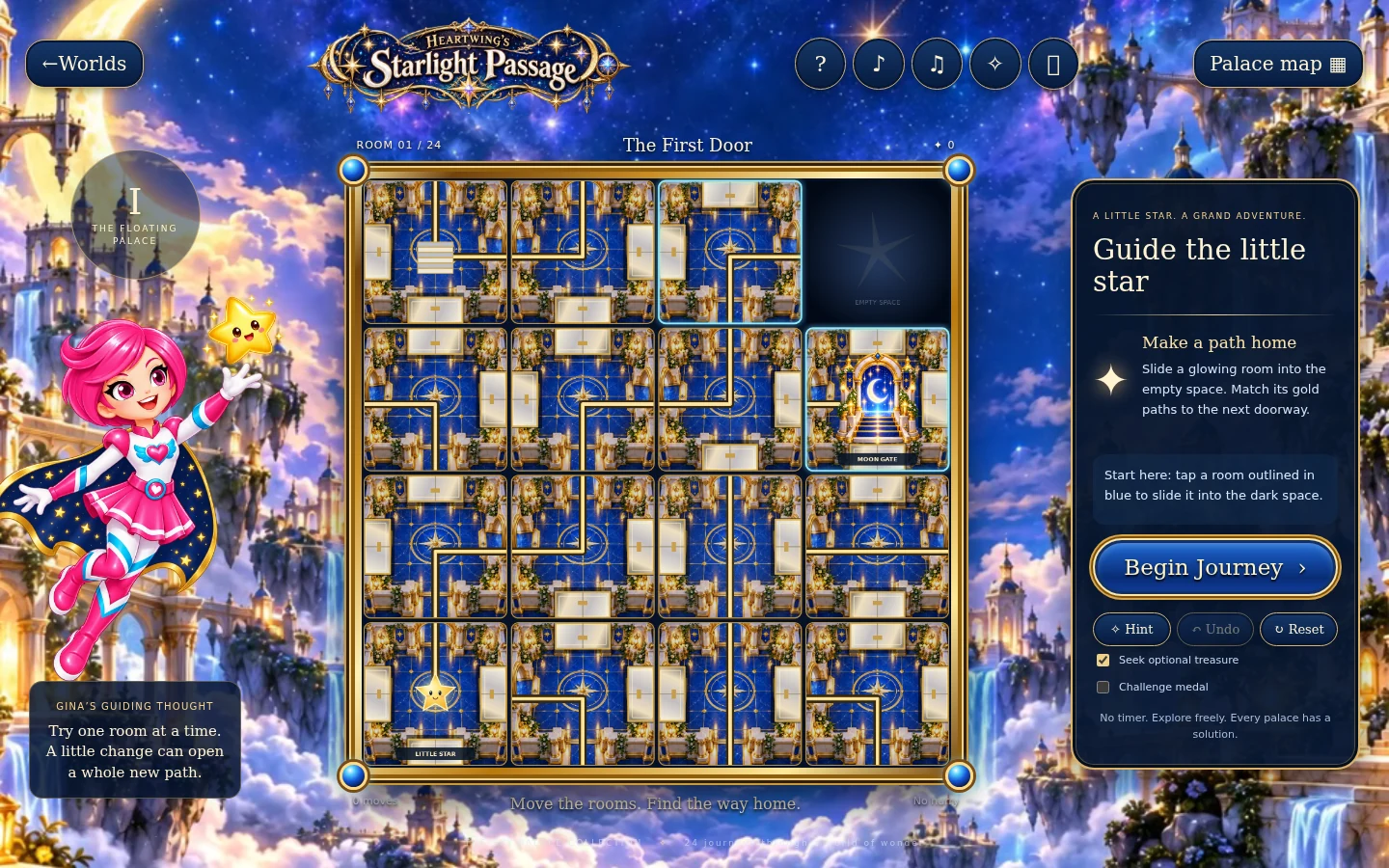
Open this activity from the app. If it offers a choice of mode, read the differences below before starting.
- Tap a room next to the empty space to slide it. Only directly neighbouring rooms can move.
- Keyboard: focus a room and Enter to move it, or use arrow keys to move the empty space. Use Begin Journey to test the route.
02 · Make a little magic
How to play
Find the empty space, each star, its gate, and any key or moon switch.
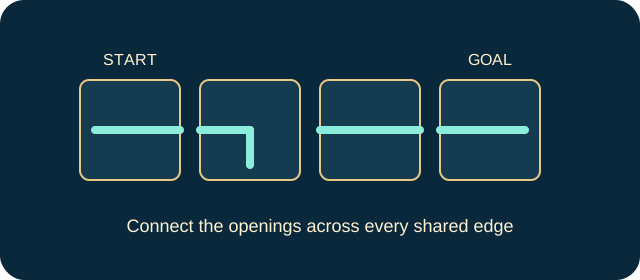
Slide adjacent rooms until gold doorways connect across their edges.
Plan when the travelling star will collect its key and flip moon switches. Preview shows bridge states but does not change the puzzle.
Begin Journey. Later palaces require two working routes on the same board; both stars must reach their correct gates.
03 · Know your world
Objects & controls
Use this field guide alongside the picture and the labels inside the game.
- Empty space
- The only vacancy into which a neighbouring room can slide.
- Gold floor path
- An open connection between matching room edges.
- Closed marble door
- Blocks the route.
- Key
- Opens the gate for the matching-colour star.
- Moon switch
- Flips matching bridges once per journey.
- Second matching switch
- Flips those bridges back, so visit order matters.
- Moon bridge
- Open or closed according to its switches.
- Gold star
- Travels to the moon gate.
- Blue star
- Travels to the sun gate on two-star levels.
- Treasure
- An extra keepsake, separate from reaching home.
- Move target
- A performance goal rather than a timer or life counter.
04 · Your goal
Modes & passing levels
- Challenge displays the move target without adding a timer or lost lives.
- Each star starts its own journey with the bridges reset. Do not assume the second star inherits the first star’s switch state.
- One result star is for arriving home, one for using no hints and one for meeting the move target.
05 · A helping hand
Helpful tips
- Undo reverses the last slide; Reset restores the starting rooms. Hint highlights one move towards a guaranteed solution.
- If the journey cannot connect, read Gina’s clue. A failed connection test does not take away moves.
06 · Before you leave
Progress & Sparks
The game’s score, stars, hearts and magic are different from your family’s spendable Sparks. The app confirms any Sparks awarded under the current account rules, waiting periods and daily limits.
Use the game’s menu to leave and allow any save or reward confirmation to finish. If the app reports a connection or saving problem, keep that message in mind before closing. Guest saving can differ from signed-in profile saving.
These instructions do not unlock paid content or spend Sparks. The app shows the current preview and access options.