
01 · Settle in
Getting started
Open this activity from the app. If it offers a choice of mode, read the differences below before starting.
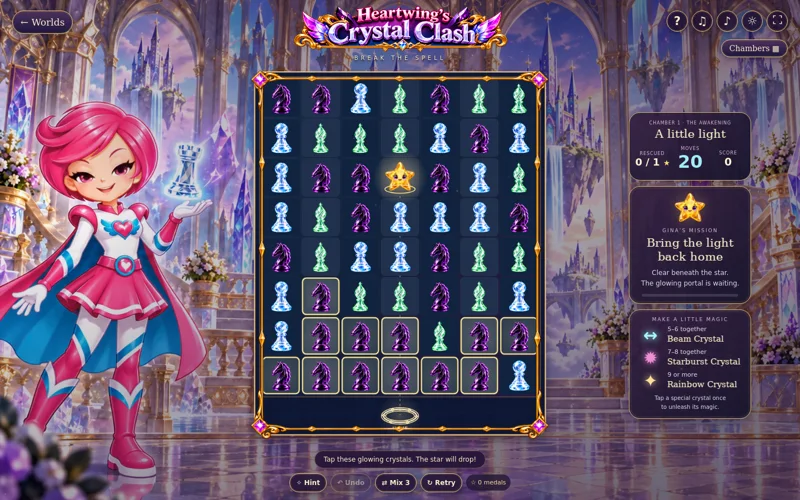
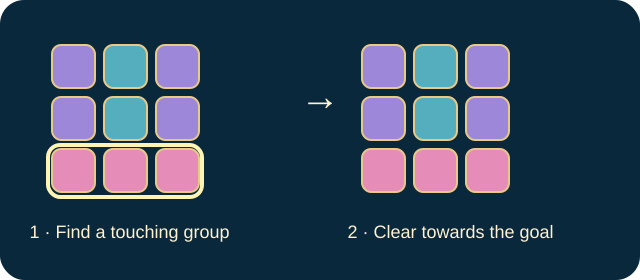
- Tap a group of at least two matching crystals connected horizontally or vertically.
- Tap a special crystal once to activate it. Arrow keys plus Enter operate the board; H gives a hint and U undoes.
02 · Make a little magic
How to play
Find each star and trace its downward path to a portal.
Clear matching groups beneath it so it can descend.
Open any required gate by bringing the golden key to the bottom. Work around stone pillars and remove frost where necessary.
Rescue the whole star target. In Challenge, do this before moves run out; there is no timer.
03 · Know your world
Objects & controls
Use this field guide alongside the picture and the labels inside the game.
- Star
- A rescue target that drops as support beneath it is cleared.
- Portal
- The glowing destination at the bottom.
- Crystal group
- Two or more matching connected pieces.
- Beam
- Made from 5–6 crystals; a line-clearing power.
- Starburst
- Made from 7–8; an area-clearing power.
- Rainbow crystal
- Made from 9 or more; a colour-clearing power.
- Frost
- Needs two nearby matches.
- Golden key
- Must reach the bottom to open the gates.
- Stone pillar
- An obstacle to clear around.
- Undo
- Returns to the previous move when available.
04 · Your goal
Modes & passing levels
- Relaxed replenishes the move allowance and displays unlimited moves.
- Challenge uses the chamber’s finite move allowance. Neither mode has a countdown.
05 · A helping hand
Helpful tips
- Choose groups beneath the star instead of clearing the top of the board indiscriminately.
- On a gated chamber, bring the key down before expecting the star to reach its portal.
06 · Before you leave
Progress & Sparks
The game’s score, stars, hearts and magic are different from your family’s spendable Sparks. The app confirms any Sparks awarded under the current account rules, waiting periods and daily limits.
Use the game’s menu to leave and allow any save or reward confirmation to finish. If the app reports a connection or saving problem, keep that message in mind before closing. Guest saving can differ from signed-in profile saving.
These instructions do not unlock paid content or spend Sparks. The app shows the current preview and access options.