

01 · Settle in
Getting started
Open this activity from the app. If it offers a choice of mode, read the differences below before starting.
- Tap or click stars on the chart. Use the chart’s zoom and navigation controls to inspect the pattern.
- Listen to Gina, request hints, open Tell me more, or read her explanation as text.
02 · Make a little magic
How to play
Choose one of the 24 constellation lessons and begin with Learn the pattern.
Listen and inspect the connecting lines. Then choose Find the stars and select the stars belonging to that pattern.
Find all required stars to complete the discovery. Use the follow-up question to earn its separate question mark in the journal.
Try the independent challenge, another constellation, or the location-based sky view.
03 · Know your world
Objects & controls
Use this field guide alongside the picture and the labels inside the game.
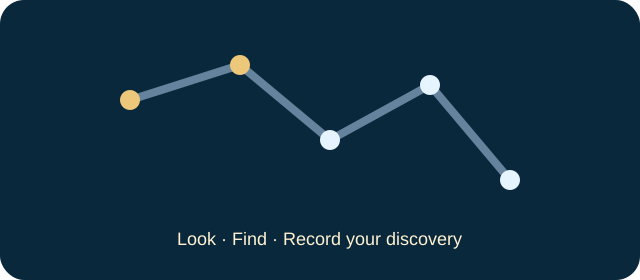
- Pattern star
- A real catalogue star included in the lesson’s learning pattern.
- Background star
- Part of the surrounding chart, not necessarily a target.
- Gold found star
- A target you have correctly identified.
- Connecting line
- Reveals the learned pattern; in finding mode a link appears when its endpoints are found.
- Hint
- Builds from a clue towards highlighting the next target.
- Star journal
- Tracks guided discoveries, independent challenges and correctly answered questions separately.
- Tell me more
- Prepared narrated explanations, not an open-ended microphone conversation.
- Horizon chart
- Shows approximate positions for a selected place and time.
- Location and time
- Change which stars are above the horizon. Custom coordinates use north/east positive and south/west negative.
04 · Your goal
Modes & passing levels
- Learn displays the pattern. Find the stars is the guided discovery; Independent challenge records a separate completion.
- There is no move budget or countdown for finding a constellation.
- Completing all pattern stars updates the journal; answering the quiz is a separate achievement.
05 · A helping hand
Helpful tips
- Use the city selector or custom coordinates and check the local time before reading the horizon chart. Allow location access only if you choose the offered location control.
- The sky chart is educational. Buildings, weather and light pollution can hide stars shown above the horizon. Stargaze with a grown-up.
- Guest journal progress lasts for the tab. Signed-in progress uses the selected child profile while connected.
06 · Before you leave
Progress & Sparks
The game’s score, stars, hearts and magic are different from your family’s spendable Sparks. The app confirms any Sparks awarded under the current account rules, waiting periods and daily limits.
Use the game’s menu to leave and allow any save or reward confirmation to finish. If the app reports a connection or saving problem, keep that message in mind before closing. Guest saving can differ from signed-in profile saving.
These instructions do not unlock paid content or spend Sparks. The app shows the current preview and access options.