
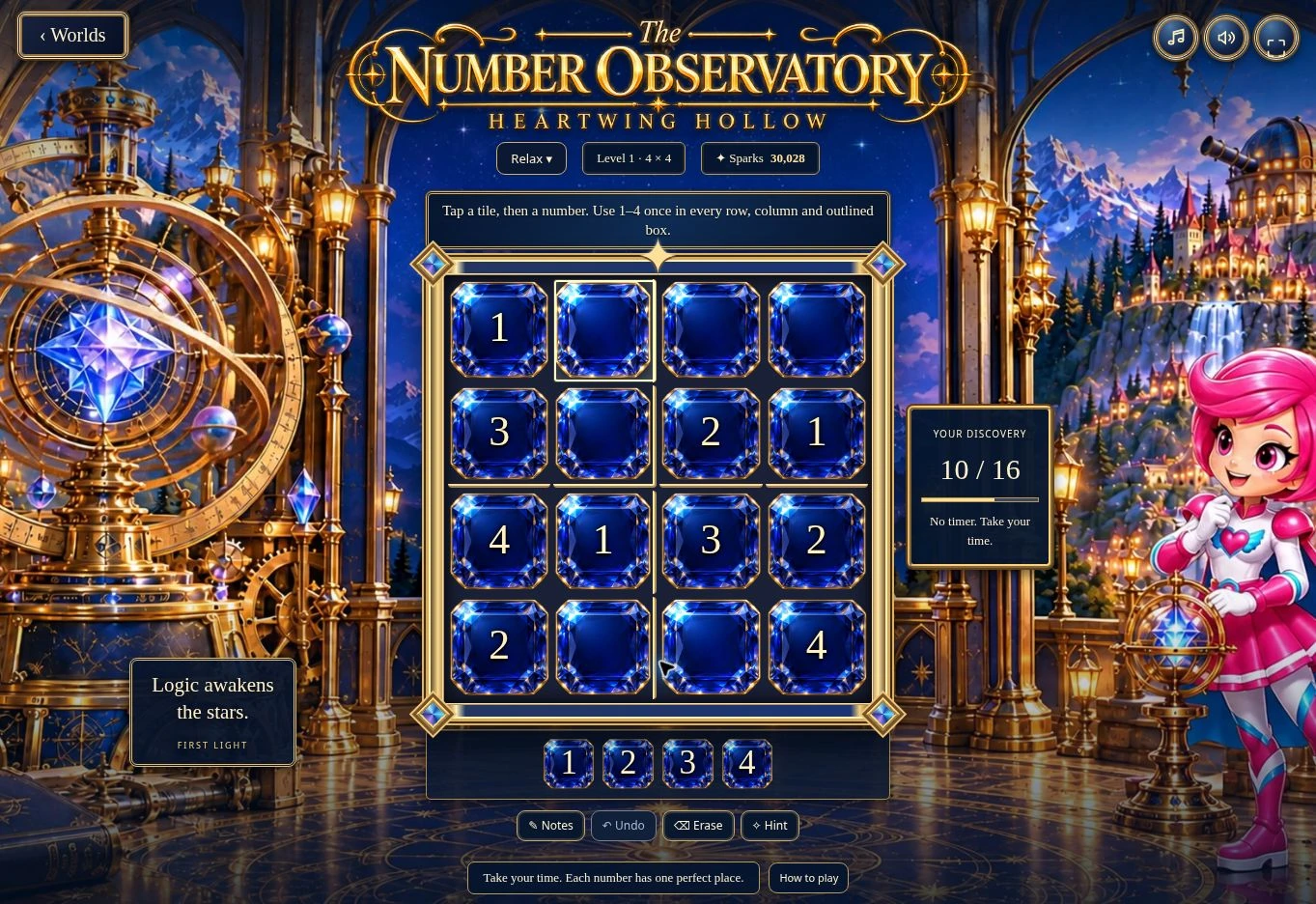
01 · Settle in
Getting started
Open this activity from the app. If it offers a choice of mode, read the differences below before starting.
- Choose Relax or Challenge when opening the game from Wonder Worlds.
- Tap a crystal, then a number below the board. Use a mouse or touch screen.
- Keyboard: arrow keys move; 1–9 enter numbers; Delete erases; N toggles notes; Ctrl or Cmd + Z undoes.
- Use Worlds to return. Music, effects and fullscreen have separate controls.
02 · Make a little magic
How to play
Start with a row, column or outlined box that has few empty spaces.
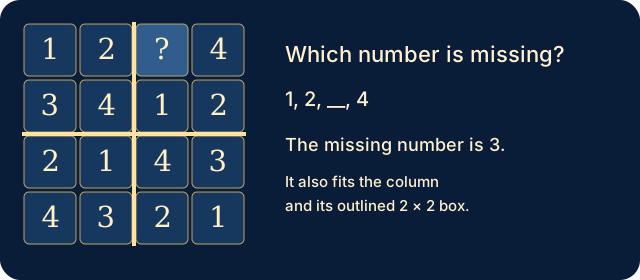
Work out which number is missing, then check its row, column and outlined box.
Tap the empty crystal and choose that number. Golden clues cannot be changed.
Use Notes to record possibilities. Undo and Erase help revise your entries; Hint supplies a number and explanation.
Fill every crystal correctly to complete the level, then choose Next discovery.
03 · Know your world
Objects & controls
Use this field guide alongside the picture and the labels inside the game.
- Golden numbers
- Fixed clues already supplied by the puzzle.
- Pale blue numbers
- Correct numbers entered by you or supplied by a hint.
- Gold box boundaries
- Each outlined box needs every number once, just like each row and column.
- Notes
- Small candidate numbers, not completed entries.
- Hint
- Reveals a helpful number. Relax has unlimited hints; Challenge has three per attempt.
- Sparks
- Your account balance, separate from puzzle progress.
04 · Your goal
Modes & passing levels
- Relax: no timer pressure or mistake limit. Unlimited hints.
- Challenge: elapsed time is shown, with three mistakes and three hints per attempt. A third mistake ends the attempt; retry the same puzzle.
- Levels 1–12 use 4 × 4 boards, levels 13–36 use 6 × 6 boards, and levels 37 onwards use 9 × 9 boards.
- Puzzles continue. Difficulty rises through clue-count tiers and eventually stabilises; no countdown or Sparks penalty for mistakes.
05 · A helping hand
Helpful tips
- A number must fit all three: its row, column and outlined box.
- Notes are possibilities. Turn Notes off before entering a final number.
- If a number is rejected, check the other clues before trying again.
- For a calmer session choose Relax from Worlds.
06 · Before you leave
Progress & Sparks
The game’s score, stars, hearts and magic are different from your family’s spendable Sparks. The app confirms any Sparks awarded under the current account rules, waiting periods and daily limits.
Use the game’s menu to leave and allow any save or reward confirmation to finish. If the app reports a connection or saving problem, keep that message in mind before closing. Guest saving can differ from signed-in profile saving.
These instructions do not unlock paid content or spend Sparks. The app shows the current preview and access options.