
01 · Settle in
Getting started
Open this activity from the app. If it offers a choice of mode, read the differences below before starting.
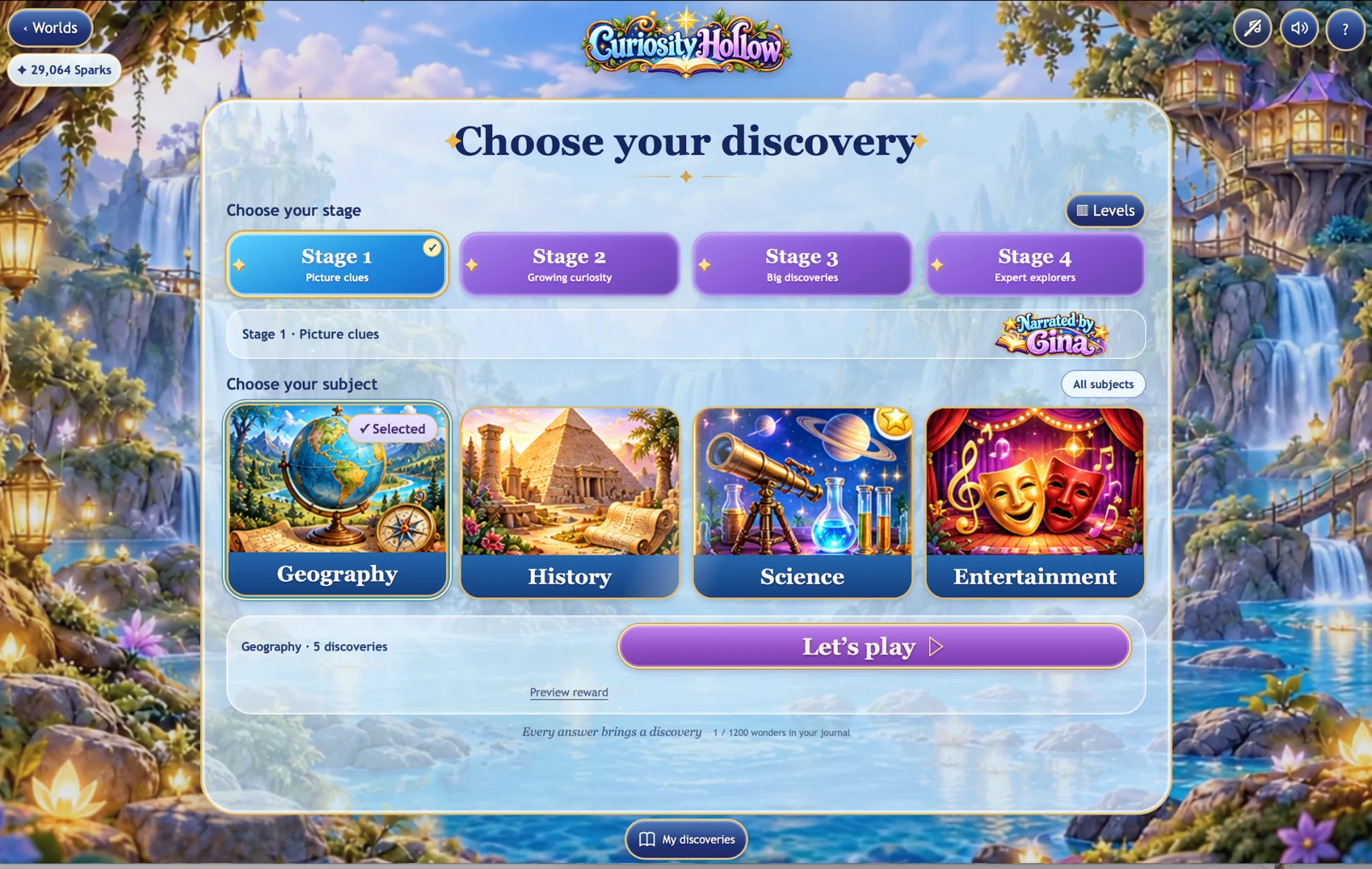
- Choose one of four stages and a subject, or mix all four subjects.
- Each Play or new opening draws a fresh selection. Questions do not repeat until the available stage and subject pool has been used.
- Music and sound effects have separate controls beside Help. Stage 1 also has a Gina voice control.
02 · Make a little magic
How to play
Choose one of the three answers.
If the answer is not quite right, read or hear why. Try again or choose to reveal the answer.
A discovery explanation appears when the answer is found or revealed. Read it at your own pace.
Light a lantern to move to the next question. Complete all five to receive your animated keepsake.
03 · Know your world
Objects & controls
Use this field guide alongside the picture and the labels inside the game.
- Lanterns
- The five lanterns show your progress through the current session.
- Grey answer cards
- An answer already tried becomes black and white. Choose Hear again in Stage 1 or Read again in another stage to revisit its explanation.
- My discoveries
- Your book keeps the discoveries you have collected. Use the page controls to browse them.
- Back to selection
- Return to stage and subject selection. Starting Play again draws fresh questions; collected discoveries remain saved.
- Worlds
- Return to the Wonder Worlds collection.
04 · Your goal
Modes & passing levels
- Stage 1 combines illustrated answers with Gina’s recorded narration.
- Stages 2, 3 and 4 use increasingly challenging reading questions and explanations.
- There is no timer or lost life. An incorrect answer is an opportunity to learn.
05 · A helping hand
Helpful tips
- Listen to or read the explanation before trying again.
- Try different subjects whenever you like.
- Questions are shuffled without replacement within the available pool. After that pool is used, a new shuffled cycle begins. Repeated discoveries do not award the same Sparks twice.
06 · Before you leave
Progress & Sparks
The game’s score, stars, hearts and magic are different from your family’s spendable Sparks. The app confirms any Sparks awarded under the current account rules, waiting periods and daily limits.
Use the game’s menu to leave and allow any save or reward confirmation to finish. If the app reports a connection or saving problem, keep that message in mind before closing. Guest saving can differ from signed-in profile saving.
These instructions do not unlock paid content or spend Sparks. The app shows the current preview and access options.