
01 · Settle in
Getting started
Open this activity from the app. If it offers a choice of mode, read the differences below before starting.
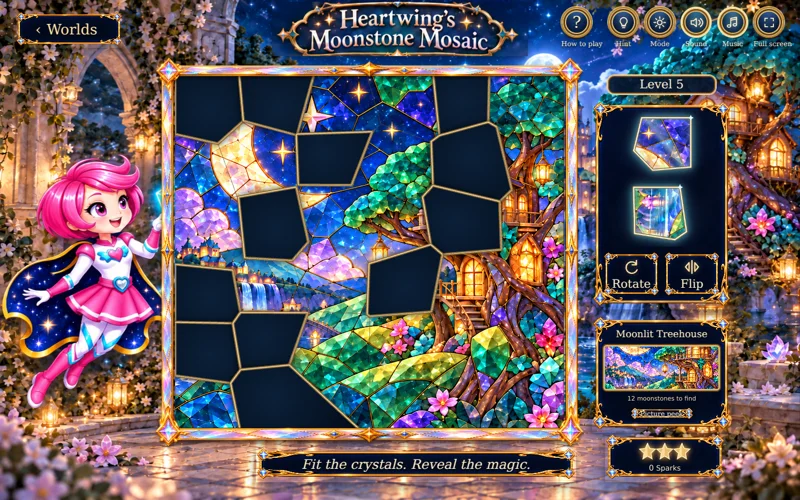
- Select a moonstone in the tray and tap its space, or drag it into place.
- Rotate / R turns the selected glass; Flip / F reflects it. Use the on-screen alternatives on touch devices.
02 · Make a little magic
How to play
Choose a window in Gallery and decide whether to use Hidden picture.
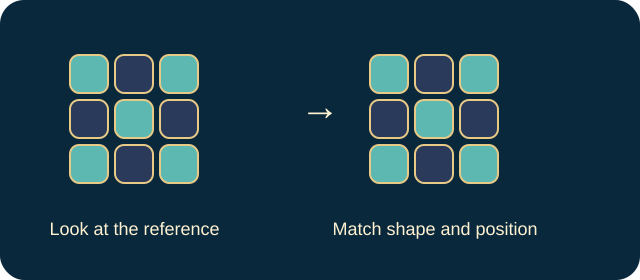
Compare a piece’s outline and image with the window. Rotate or flip it when the level requires this.
Place each piece in its exact home. Incorrect orientation will not count as a completed fit.
Restore all missing pieces to finish the window and continue to another.
03 · Know your world
Objects & controls
Use this field guide alongside the picture and the labels inside the game.
- Moonstone piece
- A fragment of the stained-glass picture.
- Dark space
- A missing piece’s home in the window.
- Rotate
- Changes the direction of the selected glass.
- Flip
- Reflects the piece; needed for later reflection puzzles.
- Hint
- Lights a piece’s home and affects the star result.
- Picture peek
- Briefly reveals missing glass on desktop.
- View Picture
- On mobile, opens the complete reference when Hidden picture is off. Back to Puzzle returns to the board.
- Hidden picture
- Removes the reference preview for extra difficulty.
- Gentle motion
- Reduces animation without changing the solution.
04 · Your goal
Modes & passing levels
- The additional challenge is Hidden picture, not a race against time.
- Later windows add more missing pieces, rotation and reflection. Use the current window description for its piece count.
05 · A helping hand
Helpful tips
- Match the picture as well as the outline; similarly shaped glass can belong elsewhere.
- View Picture is intentionally absent on desktop where the reference is already visible, and absent in mobile Hidden picture mode.
06 · Before you leave
Progress & Sparks
The game’s score, stars, hearts and magic are different from your family’s spendable Sparks. The app confirms any Sparks awarded under the current account rules, waiting periods and daily limits.
Use the game’s menu to leave and allow any save or reward confirmation to finish. If the app reports a connection or saving problem, keep that message in mind before closing. Guest saving can differ from signed-in profile saving.
These instructions do not unlock paid content or spend Sparks. The app shows the current preview and access options.