
01 · Settle in
Getting started
Open this activity from the app. If it offers a choice of mode, read the differences below before starting.
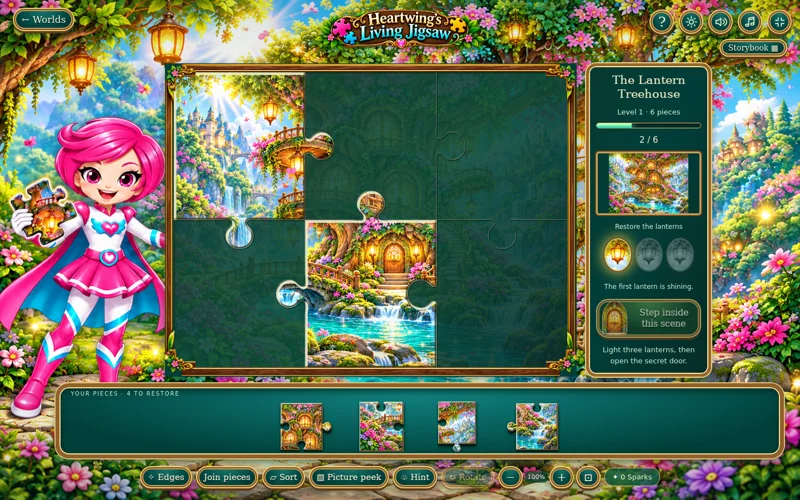
- Select a tray piece and tap its place, or drag it into position. Arrow keys select a board cell and Enter places the selected piece.
- R rotates when rotation is enabled; H gives a hint. Zoom buttons enlarge the picture; drag the zoomed view to pan and use Fit to see everything.
02 · Make a little magic
How to play
Choose a scene and puzzle level in Storybook. Set Rotate pieces, Picture guide and Gentle motion as preferred.
Use Edges and Sort to organise the tray. Match both the shape and the picture before placing a piece.
For a group, open Join pieces, join matching neighbours on the loose-piece mat and choose Bring to board. Place the group using the selected piece as its anchor.
Complete every piece, then use Discover to explore the restored scene and find its keepsake.
03 · Know your world
Objects & controls
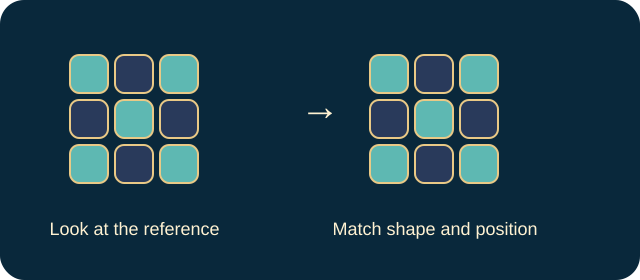
Use this field guide alongside the picture and the labels inside the game.
- Tray piece
- An unplaced part of the picture.
- Correct fit
- Locks into the scene and awakens that section.
- Edges
- Filters the tray to border pieces.
- Sort
- Groups pieces to help you find matching areas.
- Join pieces
- A mat for connecting loose neighbours before bringing a group to the board.
- Picture peek
- Briefly shows the completed picture.
- Rotate
- Turns the selected piece when Rotate pieces is enabled.
- Hint
- Shows the selected piece’s home.
- Discover
- Opens the restored scene’s activity after puzzle completion.
- Keepsake
- A scene-specific reward from its discovery, shown in My keepsakes.
04 · Your goal
Modes & passing levels
- The added difficulty is optional piece rotation. It is not a countdown or a move-loss challenge.
- Ten puzzle sizes per scene grow from 6 to 150 pieces. Picture guide and Gentle motion are separate options.
05 · A helping hand
Helpful tips
- If a shape seems right but will not fit, check its picture orientation.
- When zoomed in, use Fit before deciding that a piece’s home is missing. Discovery activities differ by scene: lanterns, butterflies, a leaf boat, stars or festival lights.
06 · Before you leave
Progress & Sparks
The game’s score, stars, hearts and magic are different from your family’s spendable Sparks. The app confirms any Sparks awarded under the current account rules, waiting periods and daily limits.
Use the game’s menu to leave and allow any save or reward confirmation to finish. If the app reports a connection or saving problem, keep that message in mind before closing. Guest saving can differ from signed-in profile saving.
These instructions do not unlock paid content or spend Sparks. The app shows the current preview and access options.