
01 · Settle in
Getting started
Open this activity from the app. If it offers a choice of mode, read the differences below before starting.
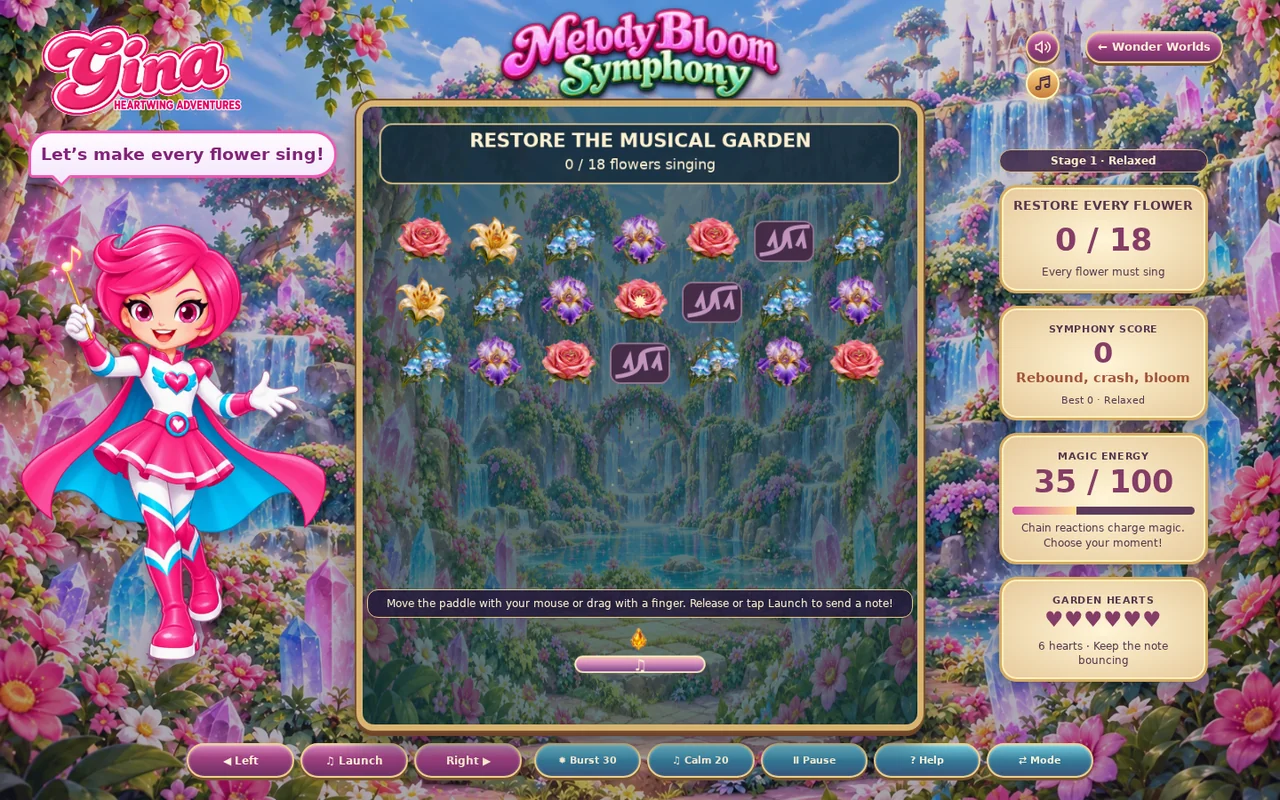
- Move the mouse over the board or drag a finger to steer the paddle.
- Release or press Launch to start a note. Arrow keys steer and Space launches.
02 · Make a little magic
How to play
Launch the note and keep the paddle beneath its return path.
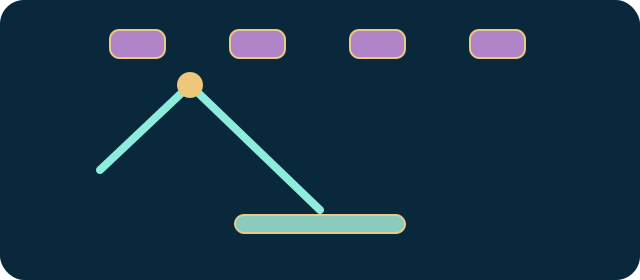
Use the paddle’s edges to change the rebound angle and reach distant flowers.
Break through thorns where necessary and use special flowers or magic tools to open the garden.
Restore every flower to win before hearts run out, and before the timer in Challenge.
03 · Know your world
Objects & controls
Use this field guide alongside the picture and the labels inside the game.
- Musical note
- The bouncing ball that restores flowers on contact.
- Paddle
- Your movable platform; the contact point changes the rebound angle.
- Flower
- A required restoration target.
- Thorn barrier
- Can be broken, but clearing every thorn is not required to win.
- Sunburst flower
- Bursts nearby flowers and thorns.
- Burst
- Costs 30 magic and clears a chosen cluster; ten-second recharge.
- Calm
- Costs 20 magic, widens the paddle and slows notes for six seconds; ten-second recharge.
- Heart
- Lost when you miss a note.
04 · Your goal
Modes & passing levels
- Relaxed has no countdown.
- Challenge has fewer hearts and a countdown. Later stages add flower rows, stronger vines and speed.
05 · A helping hand
Helpful tips
- Watch the returning note before planning the next rebound.
- Use Calm when the ball becomes difficult to control, rather than waiting until you have already missed it.
06 · Before you leave
Progress & Sparks
The game’s score, stars, hearts and magic are different from your family’s spendable Sparks. The app confirms any Sparks awarded under the current account rules, waiting periods and daily limits.
Use the game’s menu to leave and allow any save or reward confirmation to finish. If the app reports a connection or saving problem, keep that message in mind before closing. Guest saving can differ from signed-in profile saving.
These instructions do not unlock paid content or spend Sparks. The app shows the current preview and access options.