
01 · Settle in
Getting started
Open this activity from the app. If it offers a choice of mode, read the differences below before starting.
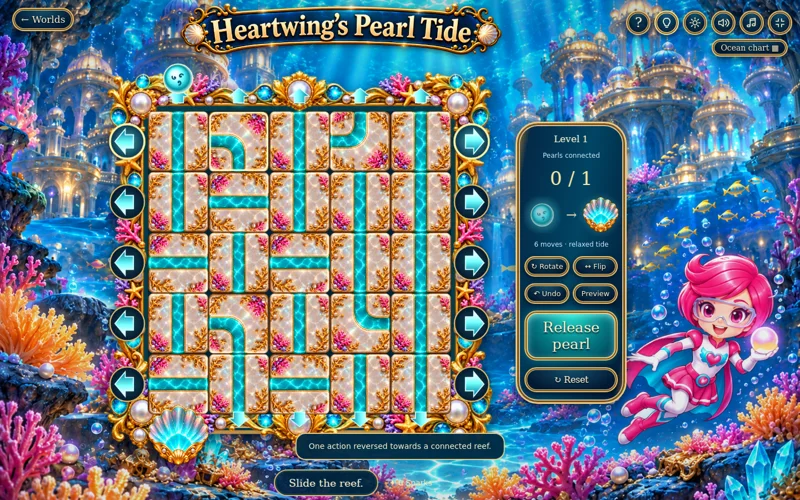
- Swipe a row sideways or a column vertically, or use the arrows around the reef.
- Select a tile to Rotate / R or Flip / F. Arrow keys shift its row or column; H gives a hint, U undoes and Space releases.
02 · Make a little magic
How to play
Identify the active pearl colours and their matching shells.
Slide rows and columns to join channels. Tiles wrap from one edge to the opposite edge.
Rotate or flip individual currents, check one-way arrows and operate anemone switches when present.
Use Preview to inspect the paths, then Release Pearls. Complete every wave shown for the level.
03 · Know your world
Objects & controls
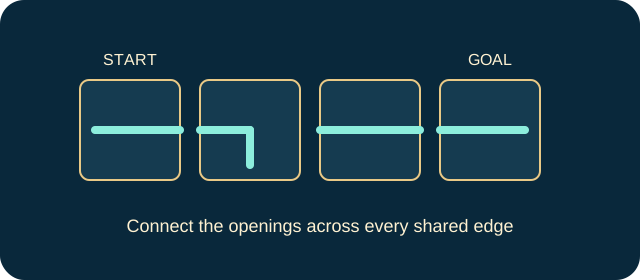
Use this field guide alongside the picture and the labels inside the game.
- Pearl
- The starting point of a current.
- Matching shell
- Its destination: turquoise spiral, violet blossom or golden sun.
- Channel tile
- A current whose openings must meet neighbouring edges.
- Row or column arrow
- Shifts that entire line one position with wraparound.
- One-way arrow
- Permits flow only in its marked direction; it turns with the tile.
- Pink anemone
- A switch that opens or closes its channel.
- Preview
- Shows restored currents without completing the release.
- Undo
- Reverses a shift, rotation, flip or switch operation.
- Tide wave
- A further set of routes within a later level.
04 · Your goal
Modes & passing levels
- Relaxed tide has no move allowance.
- Tide Challenge limits actions. When the allowance is used, undo an action or restart rather than continuing to shift.
- Early levels introduce one pearl, then two colours, one-way currents and switches; later tides require two or three waves.
05 · A helping hand
Helpful tips
- A rotation after a slide is allowed: reselect the tile you wish to transform.
- A symmetrical tile may look unchanged after a flip. Check the directional arrows as well as the channel shape.
06 · Before you leave
Progress & Sparks
The game’s score, stars, hearts and magic are different from your family’s spendable Sparks. The app confirms any Sparks awarded under the current account rules, waiting periods and daily limits.
Use the game’s menu to leave and allow any save or reward confirmation to finish. If the app reports a connection or saving problem, keep that message in mind before closing. Guest saving can differ from signed-in profile saving.
These instructions do not unlock paid content or spend Sparks. The app shows the current preview and access options.