
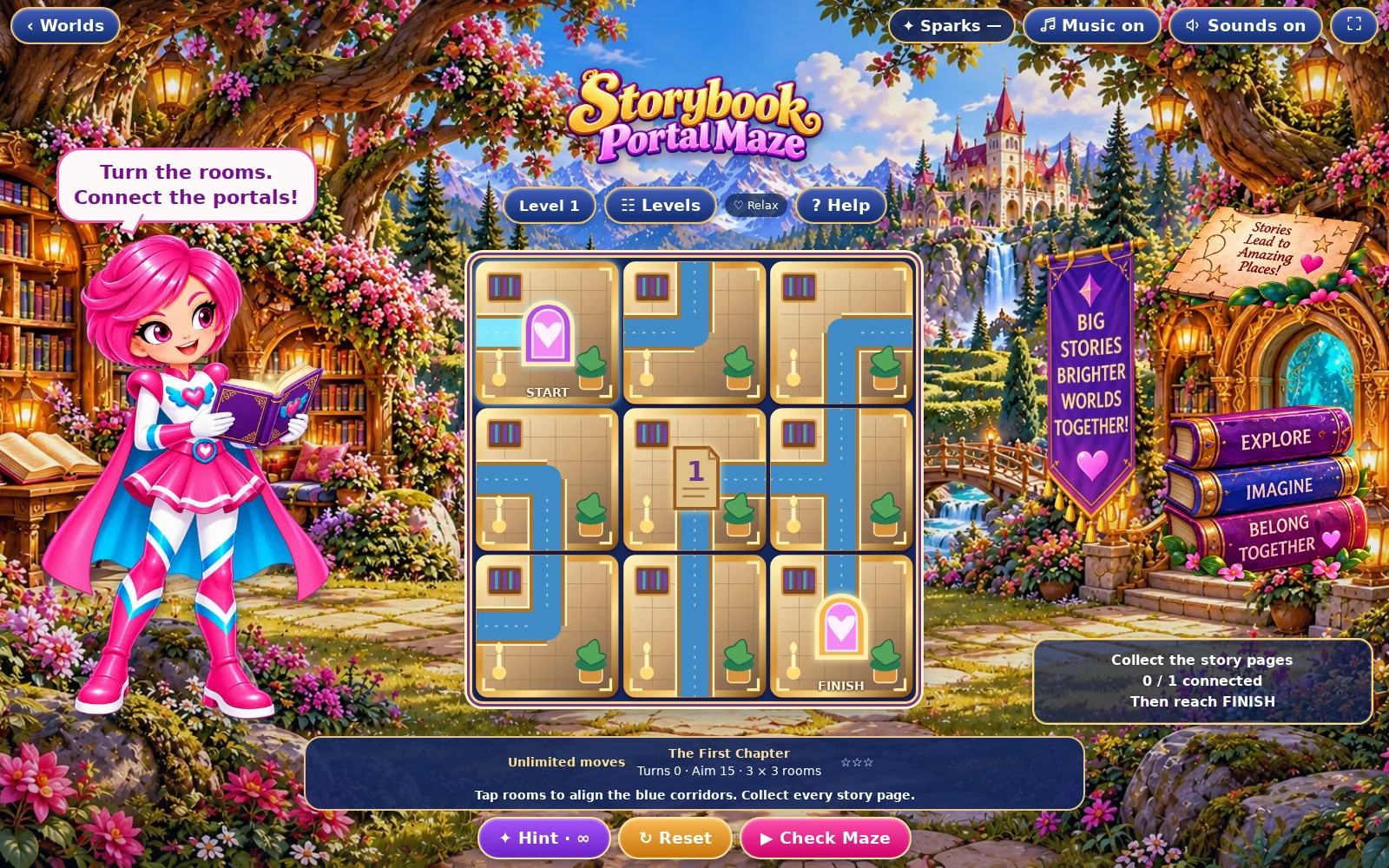
01 · Settle in
Getting started
Open this activity from the app. If it offers a choice of mode, read the differences below before starting.
- Tap or click an unlocked room to rotate its doors.
- Use Hint for help, Reset to restore the chapter and the journey/check button to send the light through your route.
02 · Make a little magic
How to play
Locate START, FINISH, every page and any locked rooms.
Turn rooms so their doors meet across adjacent edges.
Connect all pages to a route that also reaches FINISH.
Start the journey. The travelling light collects the pages, then completes the chapter when the route succeeds.
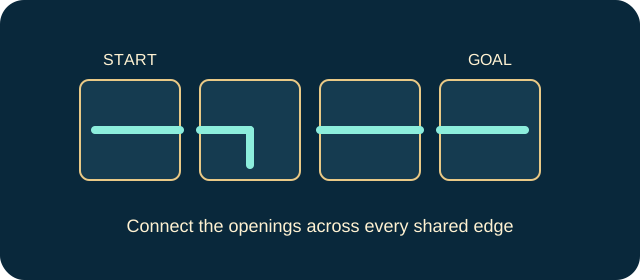
03 · Know your world
Objects & controls
Use this field guide alongside the picture and the labels inside the game.
- START portal
- The beginning of the journey.
- FINISH portal
- The exit, which must be reachable after collecting the pages.
- Room
- A rotatable section of corridor. Closed edges block travel.
- Story page
- A required collectible on the route.
- Locked room
- A fixed room that must be worked around; it cannot be rotated.
- Travelling light
- Animates the successful route and collects its pages.
04 · Your goal
Modes & passing levels
- Relax gives unlimited moves and extra hints. Challenge has a move budget calculated for the level, with less spare allowance as levels rise. Read the counter before committing a move.
- When the Challenge allowance runs out, use the offered retry rather than repeatedly tapping the board. A correct final move can complete the puzzle. The controls pause further play when the challenge has ended.
05 · A helping hand
Helpful tips
- A path to FINISH alone is not enough if a page remains isolated.
- Plan around locked rooms first. Leave their doorway directions unchanged in your mental route.
06 · Before you leave
Progress & Sparks
The game’s score, stars, hearts and magic are different from your family’s spendable Sparks. The app confirms any Sparks awarded under the current account rules, waiting periods and daily limits.
Use the game’s menu to leave and allow any save or reward confirmation to finish. If the app reports a connection or saving problem, keep that message in mind before closing. Guest saving can differ from signed-in profile saving.
These instructions do not unlock paid content or spend Sparks. The app shows the current preview and access options.