
01 · Settle in
Getting started
Open this activity from the app. If it offers a choice of mode, read the differences below before starting.
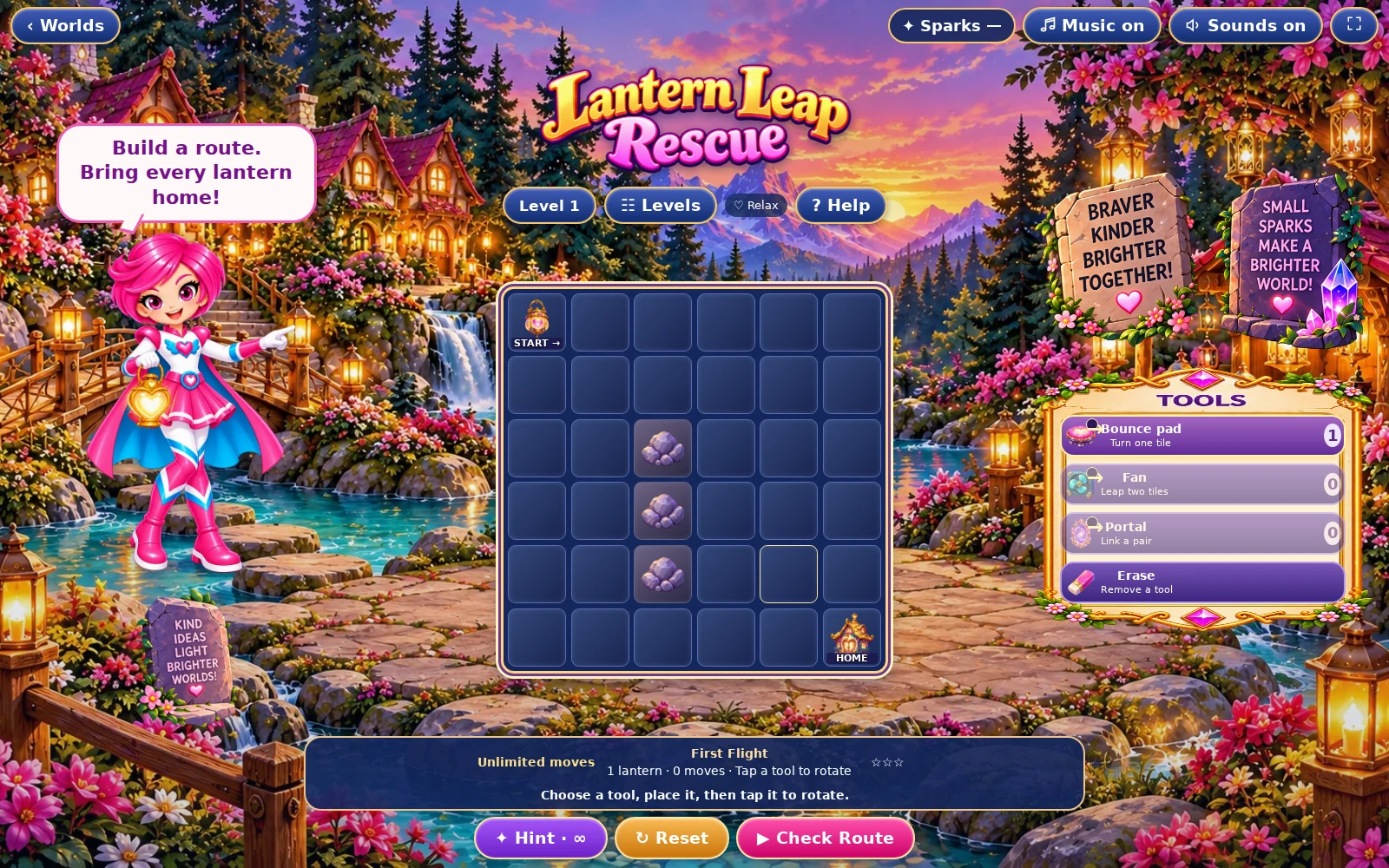
- Choose a tool, then tap an empty square to place it. Tap a placed tool again to rotate it clockwise. Select Erase and tap a tool to remove it.
- Press the route-check control to launch the lanterns and watch the result.
02 · Make a little magic
How to play
Inspect each lantern start, the destination and the fixed obstacles.
Place tools to guide the lanterns across the board; check their direction before launching.
Test the route. Lanterns are checked one after another and the game explains a failed route.
Adjust the route and launch again. The level passes only after all starting lanterns arrive safely.
03 · Know your world
Objects & controls
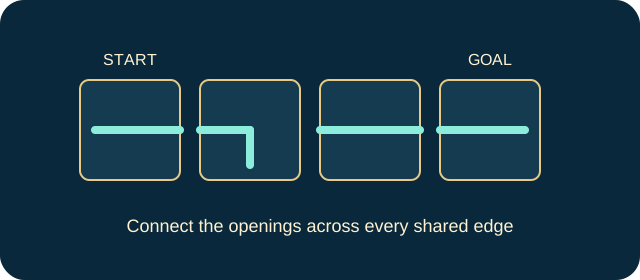
Use this field guide alongside the picture and the labels inside the game.
- Lantern start
- A lantern that must complete the route.
- Destination
- The safe endpoint of a successful journey.
- Bounce pad
- Turns the lantern towards its arrow and advances it one square.
- Fan
- Sends the lantern two squares in the marked direction, leaping over the intervening square, including a rock.
- Portal
- Requires exactly two placed portals. Transfers the lantern to the other portal, then sends it onwards in that portal’s direction.
- Obstacle
- A blocked square that makes an unsafe route fail.
- Route trail
- Shows where the test lantern travelled.
04 · Your goal
Modes & passing levels
- Relax gives unlimited moves and extra hints. Challenge has a move budget calculated for the level, with less spare allowance as levels rise. Read the counter before committing a move.
- When the Challenge allowance runs out, use the offered retry rather than repeatedly tapping the board. A correct final move can complete the puzzle. The controls pause further play when the challenge has ended.
05 · A helping hand
Helpful tips
- Follow the failed lantern’s route to find the first wrong turn.
- Plan for every start. Fixing one route can change the route taken by another lantern.
06 · Before you leave
Progress & Sparks
The game’s score, stars, hearts and magic are different from your family’s spendable Sparks. The app confirms any Sparks awarded under the current account rules, waiting periods and daily limits.
Use the game’s menu to leave and allow any save or reward confirmation to finish. If the app reports a connection or saving problem, keep that message in mind before closing. Guest saving can differ from signed-in profile saving.
These instructions do not unlock paid content or spend Sparks. The app shows the current preview and access options.